Jump to content
View in the app

A better way to browse. Learn more.

Forum Supreme-Elite

A full-screen app on your home screen with push notifications, badges and more.

To install this app on iOS and iPadOS
  1. Tap the Share icon in Safari
  2. Scroll the menu and tap Add to Home Screen.
  3. Tap Add in the top-right corner.
To install this app on Android
  1. Tap the 3-dot menu (⋮) in the top-right corner of the browser.
  2. Tap Add to Home screen or Install app.
  3. Confirm by tapping Install.

BlownerRetour

Utilisateur
  • Joined

  • Last visited

Everything posted by BlownerRetour

  1. POOOOOOOOOOOOOOOOOONG
  2. Femme => Soumise
  3. Soleil -> Couché
  4. Chaussure => Pied
  5. Désolé baboo si certains ont les moyens :s
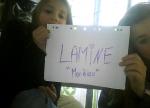
  6. Salut, salut, Je me nomme Blowner , certains habitués me reconnaitrons , j'ai décidé de faire une nouvelle présentation : Voilà je m'apelle Lamine et j'ai 16 ans, je viens de Nice dans le 06 en France qui se situe en Europe Mes loisirs: CSS , le cinéma , les anciennes musique genre jean-jacques goldman et sortir (ouais je m'apelle pas baboo) Je suis en seconde et oui j'ai redoublé Je suis vip , je suis souvent en FFA et en Bail Jail Ps : Les blagues sur mon prénom , je les connais toutes.

Configure browser push notifications

Chrome (Android)
  1. Tap the lock icon next to the address bar.
  2. Tap Permissions → Notifications.
  3. Adjust your preference.
Chrome (Desktop)
  1. Click the padlock icon in the address bar.
  2. Select Site settings.
  3. Find Notifications and adjust your preference.